If you already know how to search for a place and get directions with Naver Map, there is a lot more you can do with it.
I use Google Maps too, especially when I travel outside Korea. But inside Korea, I usually find Naver Map more useful for local place details, reservations, walking routes, and Korea-specific services.
Some features overlap with Google Maps. The difference is that Naver Map is much more closely connected with local business information and services in Korea, so I use the two apps differently.
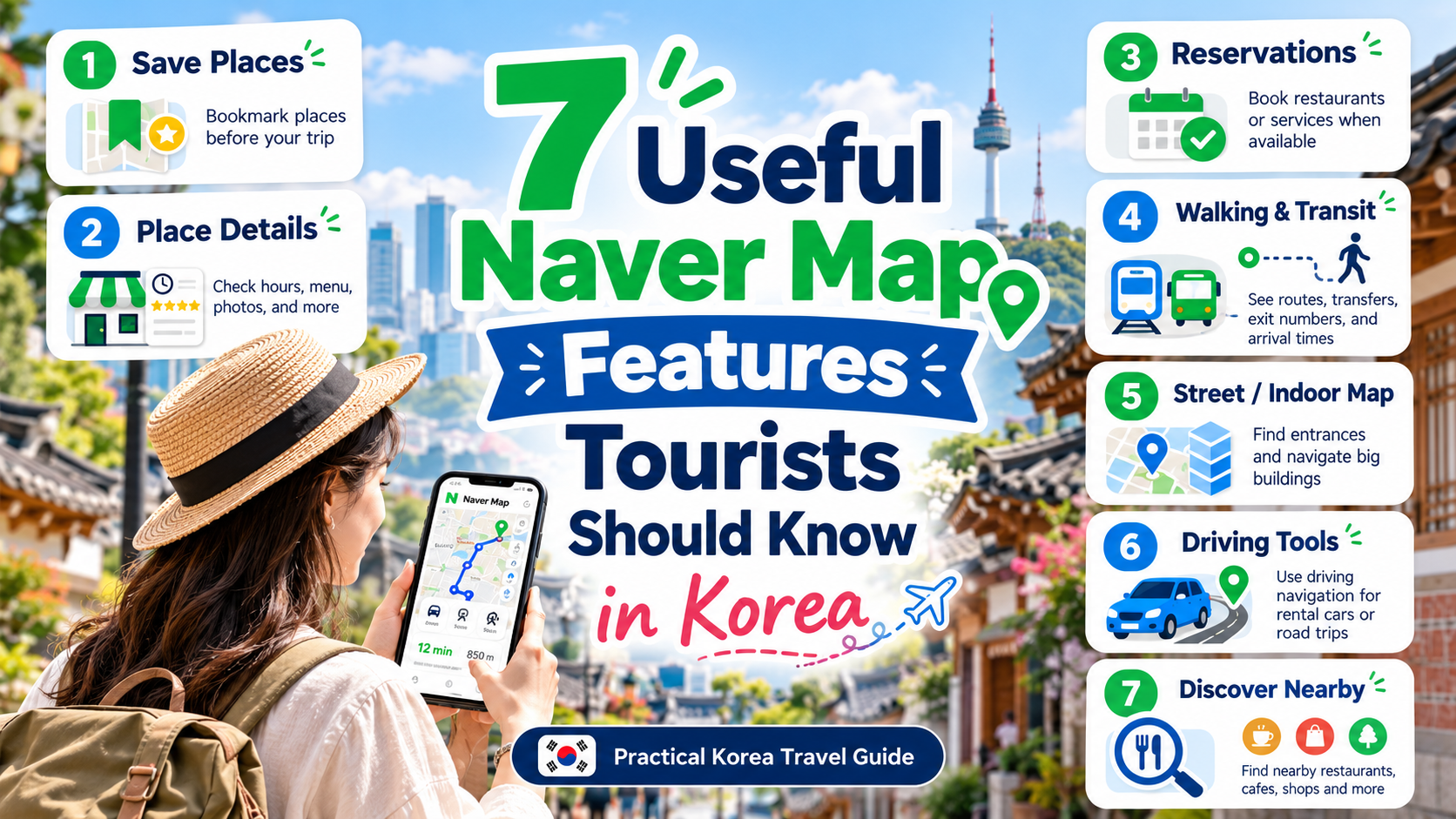
Here are seven Naver Map features that I think are especially useful for travelers — and when I would actually use each one.
If you are completely new to the app, start with my beginner guide to using Naver Map in Korea first.

1. Save Places Before Your Trip
Saving places is not unique to Naver Map. Google Maps can do this too.
But saving important places before a trip is simply a smart habit, especially when you already know which restaurants, cafes, attractions, or shops you want to visit.
I recommend saving them in Naver Map as well, because once you are in Korea, you can combine those saved places with local place details, route planning, reservations, and the other Naver-specific features below.
Local Dad Tip: I prefer organizing saved places by area instead of putting everything into one giant list. If your plans change, it is much easier to see which saved restaurant or attraction is nearby.
You need to be logged into a Naver account to use saved-place features.

2. Check Detailed Local Place Information
This is one of the biggest reasons I use Naver Map in Korea.
A place page can show much more than just an address. Depending on the business, you may see opening hours, regular closing days, menus, prices, photos, phone numbers, parking information, takeout options, and other practical details.
As a parent, I also check whether a restaurant lists family-friendly details such as a high chair before I go. Not every business fills in every field, but when the information is there, it can save a lot of time.
Schedules can still change, so for a place that matters to your itinerary, check the most recent information before traveling across the city.
What About Reviews?
Naver Map has a huge number of reviews written by Korean users. If you can read Korean, they can be useful for very local details about food, service, parking, waiting times, or family visits.
Personally, I do not rely on only one review platform. For restaurants, I often compare Naver reviews with Google Maps reviews because international visitors can notice different things from local reviewers.
Local Dad Tip: For an important restaurant, I would rather compare local and international reviews than trust a single rating.

3. Book Restaurants, Activities and Even Train Tickets
This is one of Naver Map’s strongest advantages in Korea.
When I recently used Google Maps in Fukuoka, tapping a reservation option often sent me to a separate booking website. In Korea, many businesses using Naver Reservation are connected directly through Naver Place, so the booking flow can feel much more integrated.
Depending on the business, you may be able to reserve restaurants, cafes, activities, exhibitions, classes, or other services.
NAVER also introduced passport verification for foreign visitors in 2026. Eligible foreign users with passports issued outside Korea can use supported NAVER Booking, Order, and payment services without a Korean mobile phone number.
Payment options can still differ from those available to Korean residents, so I would not assume every Naver Pay feature will work the same way for every traveler.
Naver Map also supports train timetable searches and train ticket booking. The booking flow can include selecting the route, date, passengers, train, class, and seat, with payment completed through Npay.
Local Tip: Not every business supports Naver Reservation. If a restaurant or activity is important to your itinerary, check the reservation option early and keep a backup plan.

4. Get Better Walking and Transit Routes
Route planning is one of Naver Map’s biggest advantages for me in Korea.
You can compare walking, public transportation, driving, and cycling routes. Google Maps is still useful for transit, but I sometimes find Naver Map more practical for walking directions in Korea.
One feature I especially like when traveling with a stroller is the walking-route Avoid Stairs option. Naver Map’s official walking directions include a stair-avoidance route that tries to avoid stairs and escalators.
That can also be useful when you have heavy luggage or simply want an easier walking route.
For public transportation, you can still check routes, transfers, stops, arrival information, and station details.
Local Dad Tip: A route that is two or three minutes faster is not always the better route with young children. With a stroller, I would rather take a slightly longer route with fewer stairs.

5. Use Street View and Indoor Maps
Street View can be very useful when the destination itself is difficult to recognize.
Some restaurants and cafes are inside alleys, underground spaces, or large buildings, and the entrance may not be obvious from the address alone. Looking at the surrounding street before you arrive can save time.
Indoor maps are also available for some large facilities and may show floors, elevators, restrooms, lockers, or other facilities.
This is especially useful in large stations and shopping malls, and it can be even more helpful when traveling with children or a stroller.

6. Use Naver Map for Driving and Fuel Prices
If you are driving in Korea, Naver Map has several tools that are easy to overlook.
In addition to driving navigation, you can search for nearby gas stations and compare fuel-price information before deciding where to stop.
Naver’s gas-station information can be sorted by price, and the fuel-price data comes from Korea’s Opinet system. Because price data can update at different times, treat it as a useful comparison rather than a guarantee of the exact pump price at that moment.
This is not something most visitors need during a Seoul-only trip, but it becomes much more useful when renting a car in places such as Jeju, Gangwon-do, or other parts of Korea.
Local Tip: When I am driving, I do not automatically stop at the closest gas station. Checking nearby prices first can sometimes save money with almost no extra detour.

7. Discover Restaurants, Events and Things to Do Nearby
Naver Map is useful even when you do not know the exact place you want to visit.
I also use it to look for nearby restaurants, cafes, exhibitions, pop-ups, activities, and other things to do when I have extra time or when my original plan changes.
Naver regularly builds local-discovery features and curated campaigns around places and hotspots. For travelers, the useful part is simple: you can use the map not only to reach a place you already know, but also to find another option nearby.
This is especially helpful when a restaurant is full, the weather changes, or you suddenly have an open hour in your itinerary.
Local Dad Tip: I would use discovery as a backup, not as the main way to plan a trip. Save your must-visit places first, then use nearby discovery when queues, weather, tired kids, or a closed restaurant force your plans to change.

Which Naver Map Features Should You Actually Learn First?
You do not need to master every feature before arriving in Korea.
For most first-time visitors, I would focus on four things first:
- Save the places you really plan to visit.
- Check local place details before traveling across the city.
- Use Naver Map for walking and public transportation routes.
- Use reservations when a restaurant or activity is important to your itinerary.
Street View, indoor maps, driving tools, and discovery features become useful when a specific situation comes up.
That is the biggest difference for me between simply having a map app and actually using Naver Map like a local: I do not try to learn every button. I use the right feature when it solves a real travel problem.
If searching, English settings, or basic directions are still unfamiliar, start with How to Use Naver Map in Korea: A Simple Guide for Tourists.

FAQ
Is Naver Map better than Google Maps in Korea?
I use both. Google Maps is useful, especially for international reviews and general place information. But for local place details, reservations, walking routes, and Korea-specific services, I usually find Naver Map more useful inside Korea.
Can foreigners make reservations through Naver Map?
Yes, for supported businesses and services. NAVER introduced passport verification in 2026, allowing eligible foreign users with passports issued outside Korea to use supported booking, ordering, and payment services without a Korean mobile phone number. Payment options can still vary.
Can I book train tickets through Naver Map?
Naver Map supports train timetable searches and ticket booking, with payment completed through Npay for supported bookings.
Is Naver Map useful when traveling with children?
Yes. Detailed place information, indoor maps, and the walking-route stair-avoidance option can be particularly useful when traveling with a stroller or young children.
Leave a Reply